Prompt Engineering for Image Models (2026): The Complete Practical Guide
Dude, I spent 40 minutes tweaking the prompt and it only got worse… Every iteration changed the style, the face, the lighting. And I kept thinking: “I just need a better prompt.”
After enough pain, the obvious clicked: I was writing vibes, not constraints. The model wasn’t “trolling me”… I was giving it too much room to improvise.
So I built a simple, repeatable system. This page is the exact workflow I use to escape the generate–tweak–regret loop and get consistent results in minutes.
prompt engineering for image models v1 (2026) — the standard I use
- Prompt Formula v1 (subject → scene → camera/light → style → constraints)
- Negative Checklist v1 (artifacts, text/logo, style drift)
- Prompt Kit v1 (reusable blocks for consistency)
TL;DR:
- Use a repeatable formula (stop reinventing prompts from scratch).
- Write negatives like a checklist (not like an insult).
- Consistency comes from the kit (not from luck).
prompt engineering for image models: the 30‑second mental model
Think like a director, not a gambler. Your prompt is a mini brief with five blocks:
- Subject (who/what)
- Scene (where/when)
- Camera + light (how it’s shot)
- Style (how it should feel)
- Constraints (what must NOT happen)
Before / After (the fastest way to “get it”)
Bad prompt (vibes):
cinematic portrait, cool lighting, high quality
This gives the model too much freedom. You didn’t specify who, where, how, or what to avoid.
Good prompt (brief):
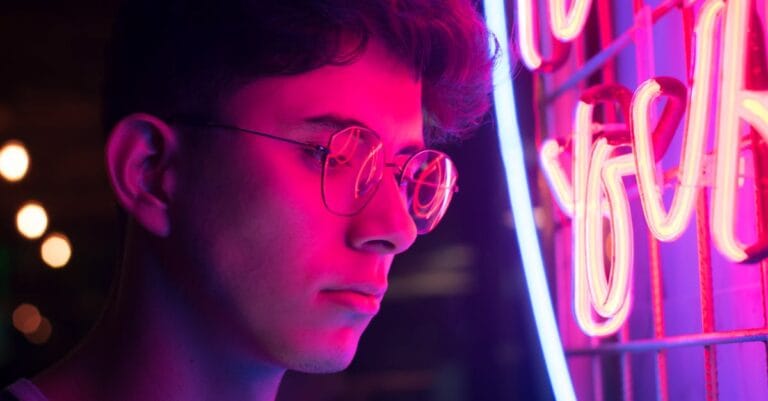
Photoreal portrait of a male creator, 30s, short hair, subtle stubble, black hoodie
urban street at dusk, light rain, neon bokeh
medium shot, eye-level, 50mm lens look, shallow depth of field
soft key light + subtle rim light, natural skin texture, subtle film grain
no text, no watermark, no logo
Negative: deformed hands, extra fingers, plastic skin, cartoon, CGI
The Prompt Formula (copy/paste)
[SUBJECT], [DETAILS], [WARDROBE/PROPS]
[SETTING], [TIME OF DAY], [WEATHER]
[COMPOSITION], [CAMERA/LENS LOOK], [DEPTH OF FIELD]
[LIGHTING]
[STYLE / REFERENCES]
[CONSTRAINTS]
Negative prompts (checklist, not vibes)
Baseline negative prompt:
text, watermark, logo, signature,
blurry, low-res, jpeg artifacts,
deformed hands, extra fingers, missing fingers, bad anatomy, warped face,
plastic skin, oversmoothed, overprocessed, cartoon, CGI
Want a bigger list (grouped): 120 negative prompt examples.
The Prompt Kit (how you get consistency)
If you want the same character across 10 images, stop rewriting prompts from scratch. Build a kit you reuse.
Character block
Same character: [gender], [age], [skin tone], [hair], [eyes], [distinct feature]
Wardrobe: [fixed outfit]
Expression range: [serious / subtle smile / etc.]
Setting block
Same location: [location], [time], [mood], [color palette]
Style block
Style: photoreal, natural light, subtle film grain
Camera: 35mm/50mm lens look, shallow depth of field
Constraints: no text, no watermark
Step‑by‑step: character consistency template.
Quick examples (steal these)
These examples are intentionally boring. Boring prompts are consistent prompts.
1) Product photo (studio)
Studio product photo of a matte black water bottle on a white seamless background
front 3/4 angle, 85mm lens look, crisp edges
softbox key light + subtle fill, clean shadow
photoreal, high detail, no text, no watermark
Negative: text, watermark, logo, messy background, reflections, fingerprints
2) Photoreal portrait (creator look)
Photoreal portrait of a male creator, 30s, short hair, casual hoodie
urban street at dusk, light rain, neon bokeh
50mm lens look, shallow depth of field, crisp eyes
cinematic soft key light + rim light
natural skin texture, subtle film grain, no text
Negative: watermark, logo, plastic skin, cartoon, extra fingers
More templates: 50 photoreal prompt templates.
Common mistakes (and the fix)
- Mistake: changing 10 things → Fix: change one block at a time.
- Mistake: no constraints → Fix: always include “no text, no watermark”.
- Mistake: vague negatives → Fix: keep a baseline checklist.
FAQ
Should I mention camera settings?
Yes. “50mm lens look” + “shallow depth of field” stabilizes framing.
Do negatives always help?
They help when you see recurring artifacts (hands, text, logos, style drift).
How do I keep the same character across images?
Prompt Kit + fixed style. Don’t freestyle.
Want the full creative workflow?
Course: Sistema Criativo: Diretor de Arte IA (Portuguese audio + Hotmart subtitles).
Next step (your mission)
Pick one use‑case, copy the formula, build your Prompt Kit, and generate 10 images without changing the kit. If it fails: adjust only one block.